
Main navigation

  • Home
  • BikeCAD Pro
  • BikeCAD Online (Free)
  • Design Archive
  • User Guide
  • Help/ FAQ
  • Forum
  • Glossary
  • Cycling Dingbats
  • Upload a BCAD file
  • Release Notes
  • User Map
  • BikeCAD Pro Owners
  • Contact

User account menu

  • Sign up
  • Log in
Home
Bicycle Design Software

Language (How to change in BikeCAD Pro)

To change the language in BikeCAD Pro, select View >> Customize as shown below.
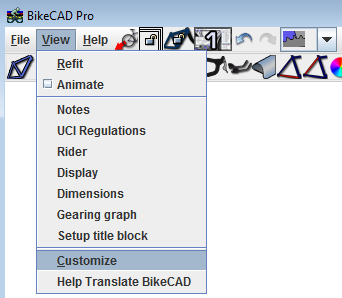
View Customize

In the Customize dialog box, select Change language and choose your preferred language as shown here. If you would like to revise any of the language files associated with BikeCAD or add a brand new one, there is information about that here.
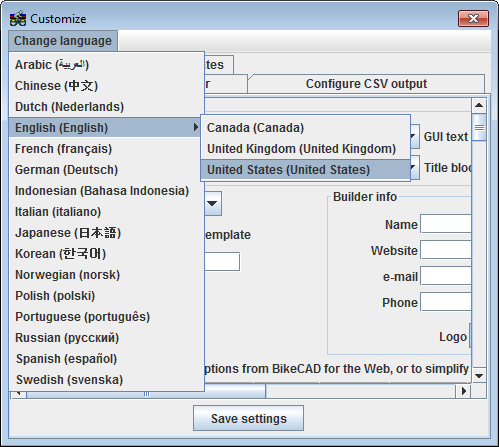
Changing Language

Copyright © 1998 - 2026 The Bicycle Forest Inc. - All rights reserved

Drupal theme by Alaa Haddad