
bodypilot

Hi Brent,
I think I found a bug, here's how to reproduce it.
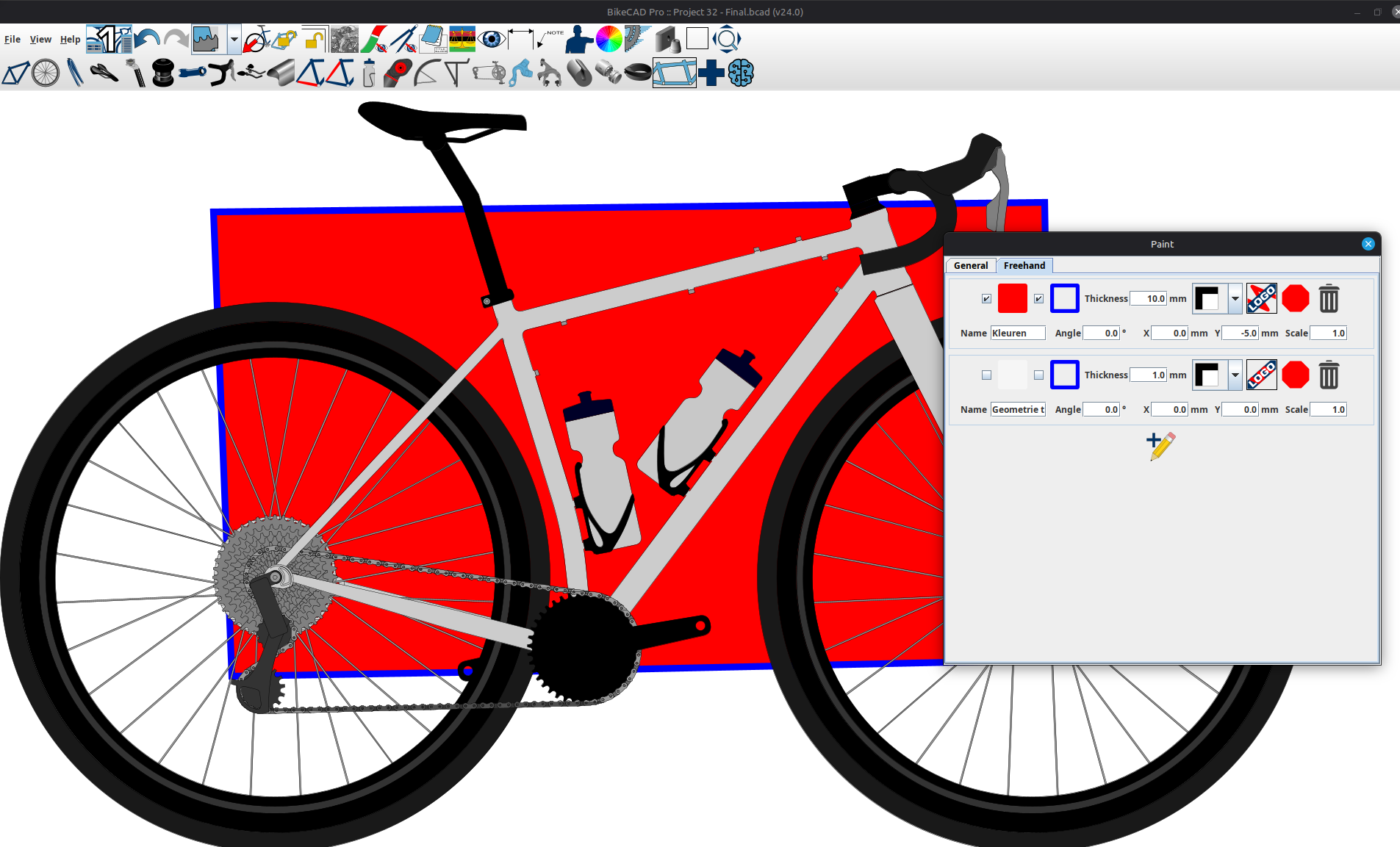
Draw a rectangle around the frame:
Overlay an image (in this example I used apples, but I first noticed this issue with a custom image):
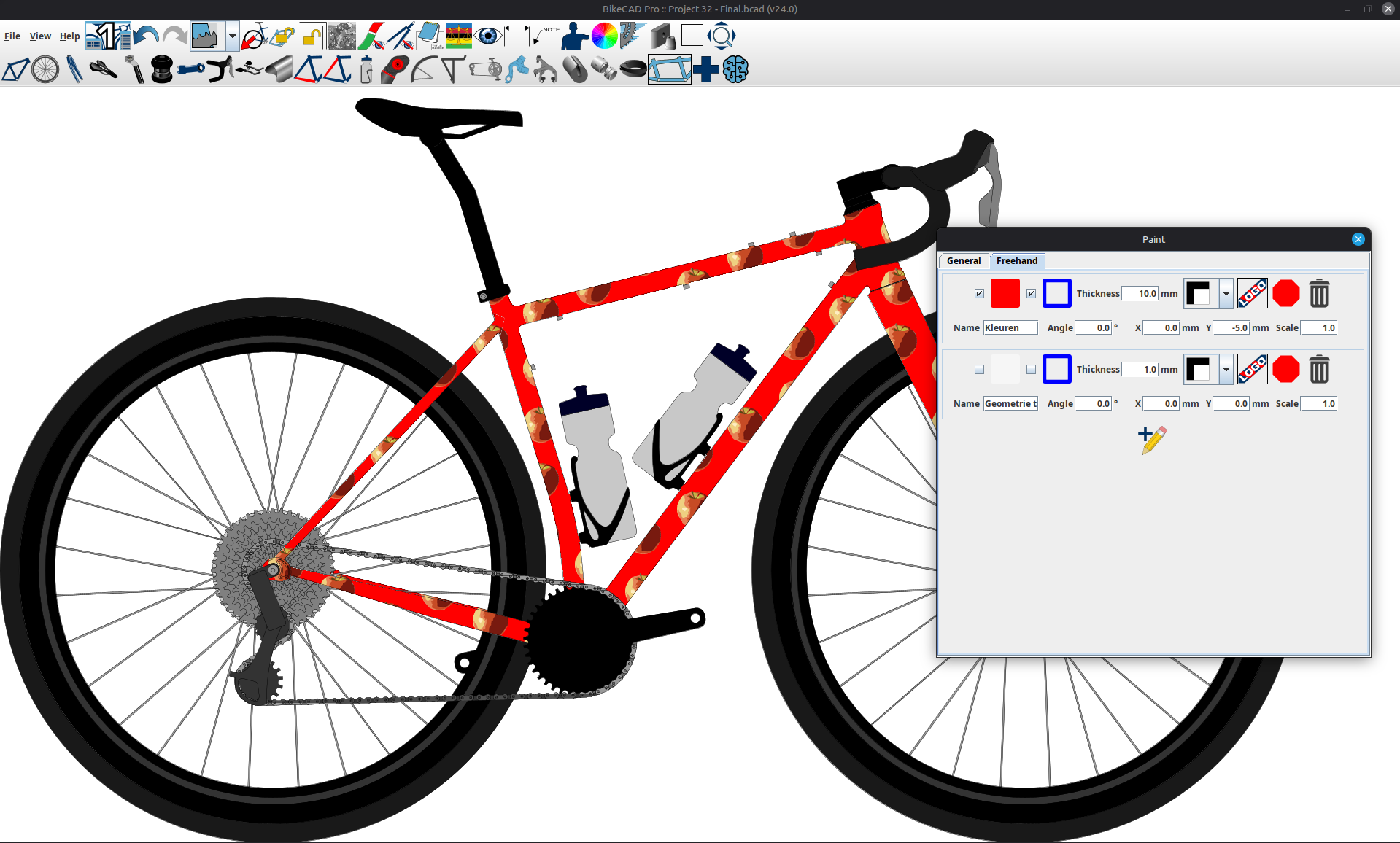
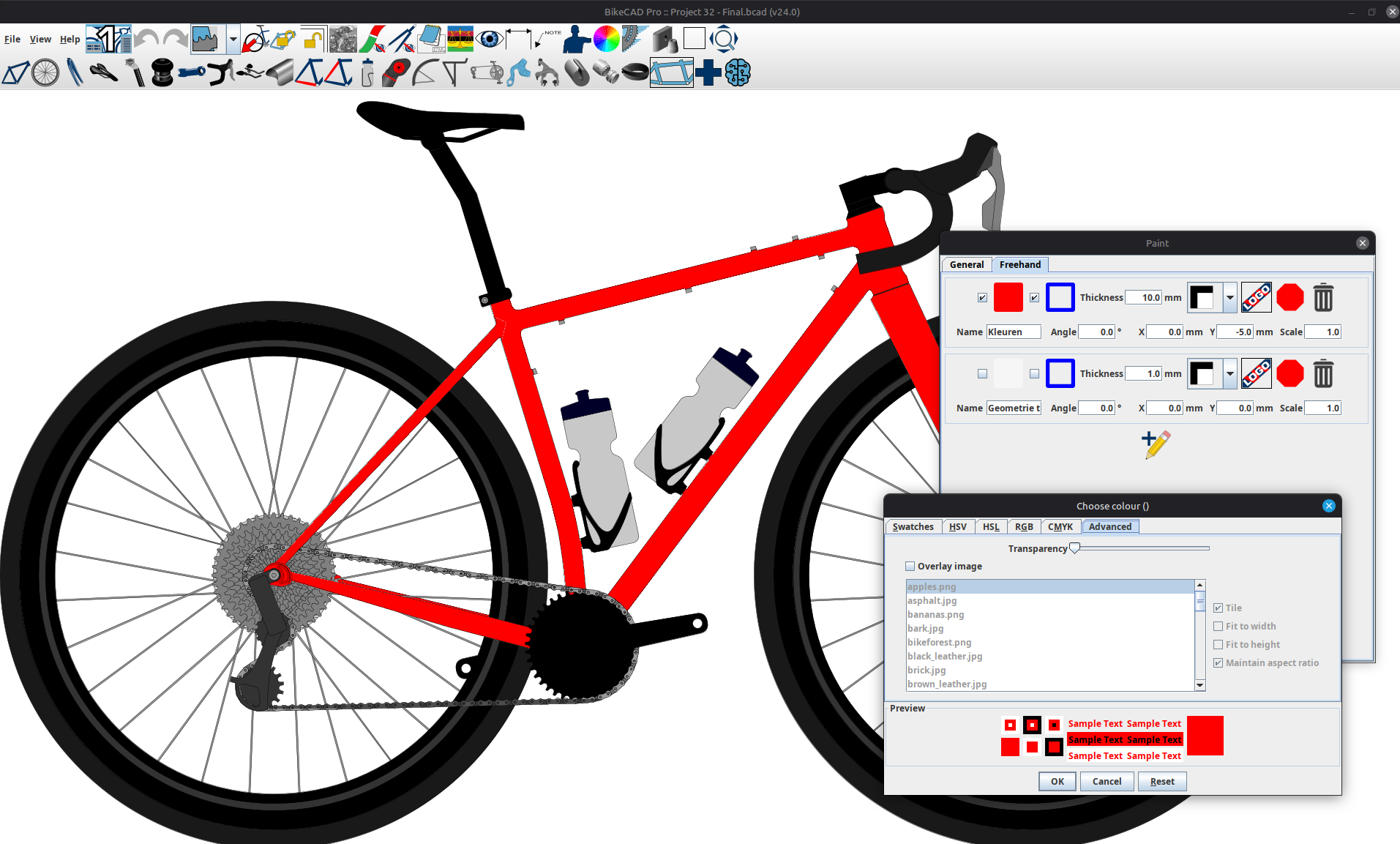
Save the file and close BikeCAD. Restart BikeCAD and open the file; the overlay is disabled.
This is on Linux Mint.
Image overlay in freehand sketched shapes
Thanks for bringing this to my attention. The image overlay specifications were not being saved properly with elements added via the freehand sketch tool. As you can see in the example below, I have corrected this for the next update.
On another note, your example pointed out the issue well, which I trust was the only purpose of your model. However, there is no actual need to create a freehand sketch element that covers the entire frame. You could just as well apply an image overlay to the 1st colour in the Frame and fork section of the Paint dialog box. The model below demonstrates how the freehand sketch tool is meant to be used with a freehand element covering a portion of the frame, but not all of it.
Thanks for fixing it in the…
Thanks for fixing it in the upcoming version Brent.
I wanted multiple horizontal bands of color across the frame and fork, the color bands on the frame lining up with the bands on the fork (like a horizontal rainbow). Using the freehand sketch tool was the only way I could make that work.
Using images in paint
You make a good point. When you apply the image to the first colour, BikeCAD will paint the stays as separate sections. The stays will still contain the image, but the image is uniquely oriented for each stay and the main triangle. When you employ the trick of covering the entire bike with a single freehand sketch element, the image gets fit within that element and will show through to the stays and front triangle evenly.
These two scenarios are shown below. The second image is the one that uses the Freehand sketch element. In each case, the image used is a rainbow with horizontal stripes.